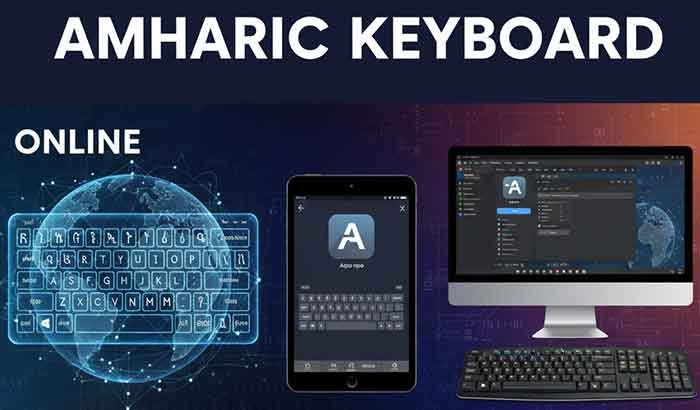
Introduction: The Digital Shift to Amharic Typing
Amharic, the official working language of Ethiopia, is one of Africa’s most widely used languages online today. From chatting on Telegram to posting on Facebook, Ethiopians are increasingly typing in their mother tongue — and that’s where the Amharic Keyboard becomes essential.
If you’ve ever struggled to type “እንደምን አለህ?” using a standard English keyboard, you’re not alone. Millions of users are now switching to Amharic Keyboard apps, online tools, and PC setups that make typing in አማርኛ smooth and effortless.
In this 2025 guide, you’ll learn exactly how to use an Online Amharic Keyboard, install an Amharic Keyboard App, and enable Amharic Keyboard for PC — even if you’re a total beginner.
Table of Contents
What Is an Amharic Keyboard?
An Amharic Keyboard is a digital tool that lets you type in the Ge’ez (Ethiopic) script used for the Amharic language. Instead of Latin letters (A–Z), it includes unique Amharic characters like ሀ, ሁ, ሂ, etc.
Most keyboards use phonetic transliteration — you type Latin letters (e.g., “selam”) and it converts automatically to “ሰላም.”
Fun Fact: Amharic keyboards are based on the Ethiopic Unicode standard, which ensures your text displays correctly across websites, mobile apps, and documents.
Read More: Imo Lite Download & Guide for Ethiopia 2025 – Features & Updates
Online Amharic Keyboard: Type Without Installing Anything
Typing Amharic online is the fastest way to start — no downloads or setup needed.
How It Works
You simply open a browser-based Online Amharic Keyboard, type using your regular English keys, and the tool converts it into Amharic letters in real time.
Best Free Online Amharic Keyboards (2025):
- Lexilogos Amharic Keyboard – Simple and reliable transliteration.
- Gate2Home Amharic Keyboard – Includes phonetic typing and copy-paste features.
- Google Input Tools (Online version) – Supports predictive text for faster typing.
Pros:
- Works instantly (no installation)
- Compatible with all devices
- Ideal for quick text or social media use
Cons:
- Requires internet connection
- Limited shortcuts and customization
Quick Takeaway Box:
The Online Amharic Keyboard is best for occasional users who want quick, no-install Amharic typing — perfect for emails, social media, or forms.
Amharic Keyboard App for Android & iPhone
For daily use, an Amharic Keyboard App is more convenient and feature-rich. These apps integrate directly into your phone’s keyboard system.
Top Amharic Keyboard Apps in 2025
| App Name | Platform | Offline Typing | Voice Input | Rating |
|---|---|---|---|---|
| Amharic Keyboard by Gboard (Google) | Android/iOS | ✅ Yes | ✅ Yes | ★★★★★ |
| Keyman Amharic Keyboard | Android/iOS | ✅ Yes | ❌ No | ★★★★☆ |
| Amharic Keyboard – Ethiopic | Android | ✅ Yes | ✅ Yes | ★★★★☆ |
Installation Steps
- Go to Google Play Store or App Store.
- Search for “Amharic Keyboard.”
- Download your preferred app (e.g., Gboard or Keyman).
- Enable it in your phone’s “Language & Input” settings.
- Switch keyboard language by long-pressing the space bar.
Pro Tip: Apps like Gboard offer emoji, gesture typing, and Amharic voice-to-text — ideal for quick messaging.
Quick Takeaway Box:
If you type Amharic daily, download an Amharic Keyboard App — it’s faster, offline-capable, and offers smart features like predictive text.
Amharic Keyboard For PC (Windows & Mac)
Whether you’re writing reports, editing documents, or sending emails, enabling Amharic Keyboard for PC gives you professional control.
How to Enable Amharic Keyboard on Windows
- Open Settings → Time & Language → Language & Region.
- Click Add a Language → Search for Amharic → Install.
- Switch between English and Amharic using Shift + Alt.
Recommended PC Tools
- Google Input Tools (Desktop) – Great for offline use.
- Keyman for Windows/Mac – Offers customizable layouts.
- GeezIME – Trusted by Ethiopian users for fast Amharic typing.
Shortcut Tips
- Alt + Shift: Switch language input.
- Ctrl + Space: Toggle between Amharic and English.
- Phonetic Example: Type “selam” → ሰላም.
Common Problems & Easy Solutions
| Problem | Possible Cause | Solution |
|---|---|---|
| Text not displaying correctly | Missing Amharic font | Install Nyala or Abyssinica SIL fonts |
| Wrong characters appearing | Phonetic mismatch | Use Google Input Tools for accuracy |
| Online keyboard not working | Browser settings | Clear cache or switch to Chrome |
💡 Tip: Always make sure your system supports Ethiopic Unicode (U+1200–U+137F) for proper rendering.
How to Type Amharic Faster: Pro Tips
- Use Predictive Typing: Gboard and Google Input Tools learn your habits and auto-suggest words.
- Practice Online: Websites like TypingClub or Keybr (with Amharic layout) help improve speed.
- Create Shortcuts: Save commonly used phrases like “አመሰግናለሁ” as text snippets.
Personal Insight: After switching to Gboard Amharic, I found my typing speed doubled within a week — the predictive AI really helps when chatting in mixed Amharic-English (Amenglish) texts.
What’s New in 2025: AI-Powered Amharic Typing
The latest Amharic keyboards use AI and Natural Language Processing (NLP) to predict full phrases and even auto-correct grammar.
New Trends in 2025:
- AI-based auto-translation between Amharic and English.
- Voice typing in regional dialects (Oromiffa and Tigrinya integration).
- Amharic keyboard support inside social apps like WhatsApp and Telegram.
FAQs: (People Also Ask)
1. How can I type Amharic without downloading software?
Use an Online Amharic Keyboard such as Lexilogos or Gate2Home in your browser.
2. What’s the best Amharic Keyboard app for Android?
Gboard (Google Keyboard) is the best option for accuracy, offline support, and emoji integration.
3. How do I enable Amharic Keyboard on Windows 11?
Go to Settings → Language & Region → Add Amharic, then switch using Alt + Shift.
4. Is there an Amharic Keyboard for iPhone?
Yes, Gboard for iOS supports Amharic typing with predictive and voice input.
5. Can I type Amharic in Google Docs or Word?
Yes, after enabling Amharic input, you can type directly in any app that supports Unicode.
Key Takeaways
- Online Amharic Keyboards are best for quick, one-time use.
- Amharic Keyboard Apps are perfect for daily messaging and social media.
- PC Amharic Keyboards offer professional tools for writing and documentation.
- Always ensure Unicode compatibility for text visibility across platforms.
Conclusion: Embrace Amharic Typing in the Digital Era
Typing in Amharic isn’t just about convenience — it’s about preserving identity and culture in Ethiopia’s digital world. Whether you’re a student, content creator, or office worker, an Amharic Keyboard empowers you to communicate authentically in your language.
So go ahead — try the Online Amharic Keyboard for instant typing, download a Keyboard App for your phone, or enable Amharic Keyboard for PC today. The power of አማርኛ is now just one click away.