Quick overview — what this article will give you
- How to download, register and use Cbe Mobile Banking (step-by-step)
- How Cbe Mobile Banking App compares to USSD and branch service
- Where to find the Cbe Swift Code and when to use it for remittances
- What the recent Cbe Fee Adjustments mean for everyday customers (2025)
- How Cbe Exchange Rate appears in the app and tips to get better FX value
Why CBE’s mobile push matters to millions of Ethiopians
If you’ve stood in a long branch queue or waited hours at an ATM, you already know why mobile banking matters. Over the past few years the Commercial Bank of Ethiopia has scaled its digital channels — millions of accounts, app installs, and daily FX updates — making it possible to move money from your pocket instead of your feet. This matters now that account growth and fee changes are reshaping everyday banking decisions in 2025.
Table of Contents
Fact Box — Fast facts (AI-overview ready)
- App name: Cbe Mobile Banking (official app on Google Play & App Store).
- SWIFT code: Main SWIFT commonly used — CBETETAAXXX / CBETETAA (use for many remittances; check sender bank for exact format).
- Official exchange rates: Published daily on CBE site; app also shows FX rates.
- Recent account growth: CBE reported major account increases in 2024–2025 (tens of millions of accounts).
What is Cbe Mobile Banking?
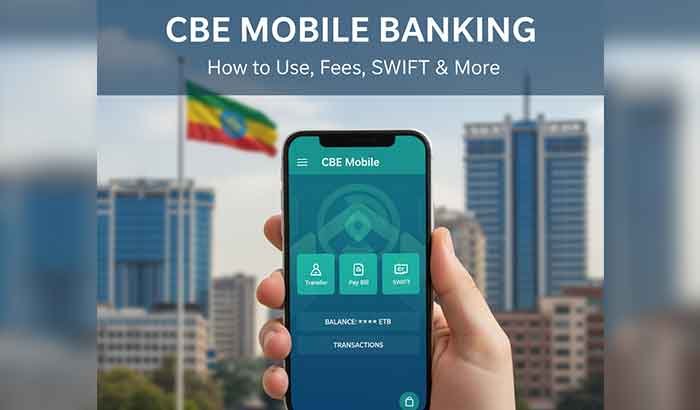
Cbe Mobile Banking is the official mobile application from the Commercial Bank of Ethiopia that lets account holders check balances, transfer money, pay bills, and view exchange rates — all from a smartphone. The bank also supports USSD & branch options, but the app gives the richest feature set, including transaction history and beneficiary management. For downloads and official info see the CBE app pages.
How to download and register (step-by-step)
(Beginner friendly — 6 quick steps)
- Download: Search Cbe Mobile Banking App on Google Play or App Store and tap Install. (Official app pages list supported OS.)
- Open & choose language: The app offers local language options; pick Amharic or English if available.
- Register: Use your CBE account number and national ID / mobile number. The app will often send an SMS OTP or require a visit to an ATM/branch to activate mobile banking if you haven’t set a PIN.
- Set a secure PIN / biometric login: Use fingerprint or PIN for quick access.
- Add beneficiaries: For transfers, register recipients; international transfers require SWIFT details.
- Test a small transfer: Start with a small amount to confirm the flow and fees.
Quick Takeaway: If you can’t install the app, use the bank’s USSD or visit a local CBE branch to request mobile banking activation.
Cbe Mobile Banking App vs USSD vs Branch — which to pick?
- App (best for): detailed history, multiple account management, FX checks, beneficiary management.
- USSD (best for): quick balance check or transfers from feature phones (less data, immediate).
- Branch (best for): cash deposits, complex services (loans, notarized forms), or if you need in-person support.
Tip: Use the app for recurring transfers and FX checks; use branch for cash-intensive operations and if you need fee waivers or dispute escalation.
The Cbe Swift Code: what it is & how to use it
If someone abroad wants to send money to your CBE account, they’ll often need a SWIFT/BIC code. The most commonly listed main SWIFT for Commercial Bank of Ethiopia is CBETETAAXXX / CBETETAA — include your beneficiary name, account number, and branch name when sending. Always confirm the exact SWIFT format with the sender’s bank before initiating a transfer.
Short example (how to fill):
- Beneficiary: Your Name
- Bank: Commercial Bank of Ethiopia
- SWIFT: CBETETAAXXX
- Account #: Your CBE account number
- Bank address/Branch: Optional but helpful (e.g., Addis Ababa Main Branch).
Quick Takeaway: SWIFT is required for international transfers — use the main CBETETAAXXX if you don’t have a branch-specific code.
Understanding Cbe Exchange Rate in the app
CBE publishes daily exchange rates on its official site and the app typically mirrors those rates for cash buy/sell and telegraphic transfers. These rates change daily; they reflect the bank’s published retail FX and may not match parallel or interbank market quotes. For remittances you may also face intermediary bank charges. Check the app’s FX page before making cross-border moves.
Practical tip: When converting USD/GBP/EUR to birr inside the app, compare CBE’s posted rate with what your sender (or service like Wise/Remitly) is offering — a difference of a few birr per dollar can matter for larger transfers. For macro context, Ethiopia’s foreign-exchange system and birr valuation have changed recently in policy reforms — this affects bank rates and liquidity.
Cbe Fee Adjustments (2024–2025): what changed & how it affects you
In 2025 CBE announced service fee adjustments affecting transfer fees and selected transactions (effective September 2025). Customers reported higher flat fees on intra/inter-bank small transfers in some cases, so it’s important to check the app or ask your branch about specific tariff lines before transacting. News summaries and notices appeared in August–September 2025.
How to reduce fees:
- Use higher-value batched transfers rather than many small transfers.
- Use the app for transfers between your own accounts (often cheaper).
- Ask about fee waivers for pensioners, students, or corporate salary packages.
- Compare costs with third-party remittance services for international transfers.
Actionable: Keep a simple monthly log (spreadsheet or the app’s history export) to spot fee creep — small recurring fees add up.
Read More: Oduu Har’aa Itoophiya — Today’s Ethiopia News & Verified Update
Security & troubleshooting (practical, local tips)
- Protect your PIN & OTP: CBE uses OTP and PIN; never share them.
- Update the app: Run the latest version to avoid bugs & security patches.
- If money is missing after a glitch: Keep logs, screenshots, and visit branch — there have been past incidents where technical errors caused problematic transactions and the bank had to intervene (monitor official statements).
How to get the most value from Cbe Mobile Banking (checklist)
- Register and enable biometric login.
- Add transfer beneficiaries before urgent payments.
- Compare Cbe Exchange Rate in the app before accepting remittance conversions.
- Use the app for recurring payments to reduce branch visits.
- Monitor fee notices (CBE posts tariff changes) and opt for alternatives if fees rise.
What changed in 2025 (short summary)
- Account growth: CBE continued major account expansion (millions of new accounts added in 2024–2025).
- Fee adjustments: 2025 saw additional service fee revisions announced in late August/September — customers reported higher flat fees on small transfers.
- FX environment: Wider macro moves — including the birr float in 2024 — continue to shape CBE’s exchange rates offered to customers.
2–3 Key takeaways
- Download & register the Cbe Mobile Banking App for the most complete feature set; use USSD only for quick checks.
- Check Cbe Exchange Rate in the app before accepting a remittance or converting currency; compare with remittance providers for best value.
- Watch service fees: 2025 fee adjustments mean small transfers can be costlier — batch transfers where possible and use the app for cheaper in-bank moves.
Conclusion — A closing note
Mobile banking changes how Ethiopians manage money — it’s convenience in your palm but also requires a little vigilance. Download the Cbe Mobile Banking App, test a small transfer, and keep an eye on exchange rates and fee notices. That small effort saves time, money and the frustration of a branch queue. If you want, I can turn this into a printable “Mobile Banking Setup Checklist” and a short explainer video script next.
FAQs: Cbe Mobile Banking
Q1: How do I download Cbe Mobile Banking App?
A1: Search for Cbe Mobile Banking App on Google Play or the App Store and install the official app. If the app doesn’t appear, visit CBE’s official site for direct links.
Q2: What is the Cbe Swift Code for international transfers?
A2: The commonly used main SWIFT is CBETETAAXXX / CBETETAA. Confirm with the sender’s bank for exact formatting and any branch-specific codes.
Q3: Where can I see CBE exchange rates?
A3: CBE publishes daily exchange rates on its official website and the app’s FX section. Check there for the bank’s published buy/sell/TT rates.
Q4: Have CBE fees changed recently?
A4: Yes — CBE announced service fee adjustments in 2025; check official notices or your branch for full tariff details and the effective date.
Q5: What do I do if a transfer fails or a glitch occurs?
A5: Save screenshots, check transaction history, and visit a branch with your ID and transaction details. Banks have handled system errors before; keep proof for faster resolution.