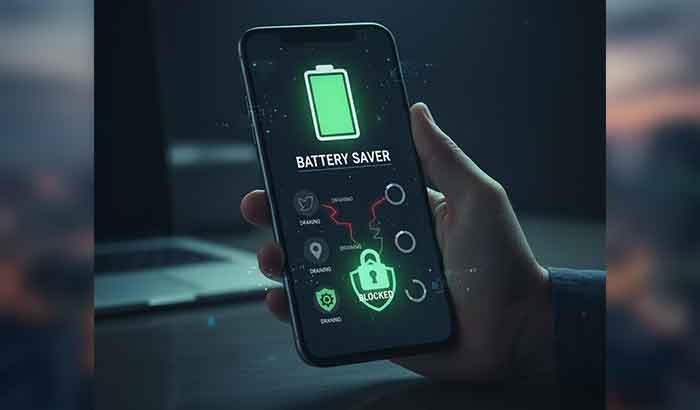
Introduction: The Everyday Struggle of a Draining Battery
You wake up with a full charge — yet by midday, your phone is gasping at 20%. Sound familiar?
In Ethiopia, where power interruptions and limited charging opportunities are common, mobile battery saving isn’t just convenience — it’s survival.
But the truth is, battery drain isn’t always caused by poor batteries. Often, it’s background apps, screen settings, and poor system habits that quietly steal your power.
This guide breaks down practical, science-backed, and locally relevant strategies to keep your phone alive longer — whether you’re navigating Addis Ababa traffic or managing remote work in Hawassa.
Table of Contents
Understanding How Android Batteries Work
Before saving power, it helps to understand what drains it.
Modern Android devices use Lithium-ion batteries, which age over time and lose capacity after hundreds of charge cycles. But software and usage patterns often have a bigger impact than hardware wear.
Main causes of fast battery drain:
- Background apps syncing data too often
- High screen brightness or long screen timeout
- Continuous use of mobile data or GPS
- Push notifications and auto-updates
- Poor network signal (common in rural areas of Ethiopia)
Quick Takeaway:
Most battery drain comes from background app activity — not from the battery itself.
How to Stop Apps Draining Battery
Your apps are the main culprits. Social media, messaging, and location-based apps consume energy even when idle.
Step 1: Identify Power-Hungry Apps
- Go to Settings → Battery → Battery Usage
- Android shows which apps use the most power
- Check if Facebook, Instagram, or TikTok dominate the list
Step 2: Restrict Background Activity
- Tap each app → Battery → Background Restriction → Restrict
- This prevents unnecessary syncing and data fetching
Step 3: Uninstall or Disable Unused Apps
Many pre-installed apps (“bloatware”) run silently. If you never use them — disable or uninstall them.
Example: A local Ethiopian banking app you use once a month doesn’t need constant background access. Disable its auto-sync until needed.
Quick Takeaway:
Restricting background data can increase standby time by 20–30%.
Read More: Odaa Tech App Review & Download Guide – Ethiopia
Battery Saving Mode Android: Your Built-In Ally
Every Android phone includes a Battery Saving Mode — but few people use it effectively.
How It Works:
When activated, it limits background processes, slows CPU performance slightly, and reduces visual effects.
How to Turn It On:
- Open Settings → Battery → Battery Saver
- Toggle it ON manually, or
- Set it to Auto-activate at 15% or 20% battery
Pro Tip:
On some newer Android versions (like Android 14 and above), you can use “Extreme Battery Saver” — pausing all non-essential apps except calls, SMS, and WhatsApp.
For Ethiopian users during long power outages or road trips, this feature can double battery life without severely limiting core use.
Performing a Battery Health Check Android Users Can Trust
Android doesn’t show detailed battery health like iPhones, but you can still get reliable insights.
Option 1: Use Android’s Hidden Menu
- Dial
*#*#4636#*#* - Select Battery Information
- Look for “Battery Health” and “Charge Level”
Option 2: Use Trusted Apps
- AccuBattery (Google Play) — free and accurate
- Device Info HW — provides real-time temperature and cycle data
Option 3: Observe Behavior
If your phone:
- Drops from 100% to 80% in minutes, or
- Overheats while charging
then your battery health may be below 80%, and a replacement might be due.
Fact Box:
A healthy Android battery should retain 80%+ capacity after 500 full charge cycles.
Practical Daily Habits for Better Mobile Battery Saving
1. Avoid Overnight Charging
Overcharging can stress the battery chemistry. Unplug once fully charged.
2. Keep Brightness Below 70%
Automatic brightness works well indoors but drains more power outdoors.
3. Turn Off Connectivity When Not Needed
Switch off Bluetooth, Wi-Fi, and GPS when not in use — especially in low-signal areas.
4. Use Dark Mode
AMOLED screens (common in Samsung and Tecno models) consume up to 30% less energy in dark mode.
5. Update Your System Regularly
Android updates often include battery optimization patches.
🇪🇹 Ethiopian Context: Local Power Challenges
In Ethiopia, power fluctuations and load-shedding make battery management crucial.
Local tip:
- Invest in a quality power bank (10,000mAh or above).
- Avoid cheap chargers — poor voltage regulation can shorten battery life.
- When power is available, charge efficiently (avoid using the phone while charging).
What Changed in 2025
- Android 14+ Adaptive Power Management
- Smarter AI adjusts performance based on your routine.
- More Efficient Charging Chips
- Phones like Infinix Zero Ultra and Samsung A55 charge faster with less heat.
- App Optimization Tools
- New Android settings let users auto-restrict unused apps for 30 days.
These 2025 updates make battery saving easier and more automatic — but habits still matter most.
Actionable Key Takeaways
- Use Battery Saving Mode Android during long days without charging.
- Regularly check battery health and replace if degraded.
- Stop apps draining battery by restricting background activity.
- Combine system tools with smart habits for long-term efficiency.
FAQs: About Mobile Battery Saving
1. How can I stop apps draining battery automatically?
Use Adaptive Battery (Settings → Battery → Adaptive Battery). Android will learn which apps you rarely use and limit their activity automatically.
2. Is it okay to keep Battery Saving Mode always on?
Yes, but performance might slightly reduce. For daily use, set it to activate automatically at 20%.
3. Does charging overnight damage the battery?
Modern phones prevent overcharging, but heat buildup during long overnight charging can reduce lifespan.
4. Which app is best for Battery Health Check Android?
AccuBattery and Device Info HW are reliable, free, and lightweight.
5. How often should I replace my phone battery?
Typically every 2–3 years, depending on usage intensity and charging habits.
Conclusion: Power That Lasts When You Need It Most
Battery life isn’t just about endurance — it’s about control.
When you understand what drains your phone and how to manage it, you gain independence from chargers, sockets, and power cuts.
Whether you’re a student in Addis, a driver in Dire Dawa, or a freelancer managing gigs from home, mastering mobile battery saving ensures your Android phone stays reliable — every single day.