Introduction
Every day in Ethiopia, mobile users receive dozens — sometimes over a hundred — of spam SMS or scams. In fact, data suggests Ethiopian users get among the highest rates of spam texts globally.
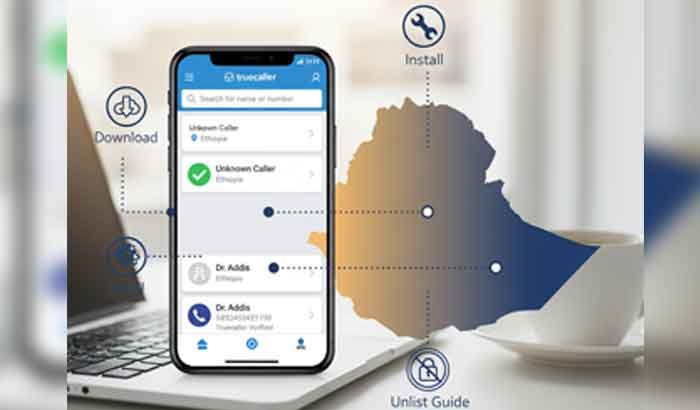
The Truecaller App can help you identify unknown calls, filter spam messages, and regain control over communications. This guide walks you — step by step — through how to download, install, and even unlist your number if you value privacy. By the end, you’ll be confident using Truecaller safely in Ethiopia.
Table of Contents
What Is the Truecaller App?
Truecaller is a caller ID and spam-blocking application that identifies incoming calls and SMS by referencing a global crowdsourced directory.
- It shows you the name of unknown callers (if available).
- It blocks or flags spam calls or SMS automatically.
- It offers features like reverse number lookup, call recording (on some Android versions), and message filtering.
In Ethiopia, where spam rates are high, it’s especially useful.
Read More: Telebirr Super App: Complete Guide for Ethiopians (2025 Update)
Why Ethiopian Users Should Use Truecaller
- High spam volume: Ethiopian users average very high spam SMS counts monthly.
- Identify unknown calls & fraud: Helps distinguish between legitimate business calls and scams.
- Community data: Many users in Ethiopia already contribute to the directory, making identification more accurate.
- Trust & safety: Businesses are more likely to use caller ID, giving more context before you pick up.
However, also be aware: using the Truecaller App often requires granting access to your contacts, which has privacy implications. Some critics argue it uploads contact data without full consent.
Truecaller App Download & Install (for Ethiopian Users)
Android (via Google Play or APK)
- Go to Google Play Store → search Truecaller → tap Install.
- Or, if unavailable, download the Truecaller APK from the official site (truecaller.com) and install (enable “Install from unknown sources”)
- Open the app, register with your Ethiopian number, verify via SMS, and grant necessary permissions (contacts, SMS, calls).
iOS (iPhone / iPad)
- Open App Store, search Truecaller: Caller ID & Block, tap Get / Install Apple
- After installation, verify your phone number and allow settings for caller ID and message identification.
Once installed, you can set Truecaller as your default dialer & SMS (Android) for full integration.
Key Features & How Truecaller Works
- Caller ID detection: Shows who is calling you, even if number is not in your contacts.
- Spam call & SMS blocking: Auto-block top spam numbers and filter messages.
- Reverse lookup: You can search a number to see the name associated with it.
- Call recording / AI tools: On Android, you may record calls (where legal); newer features like AI Call Scanner help detect bot calls.
- Message classification: It can label SMS as transactional, promotional, spam, etc.
How it works behind the scenes:
- Truecaller uses a crowdsourced phone directory — when users grant permission, contact data helps build the global database.
- When a call/SMS arrives, the app matches the number with its directory and shows available info (name, spam score).
- It also uses community feedback and threat detection to flag suspicious numbers.
How to Use Truecaller Safely in Ethiopia
- Grant minimum permissions: Only allow what’s necessary (calls, SMS). Turn off contact upload if you’re wary.
- Update display name: If the name shown is wrong, you can change it via Truecaller’s “Change Name” page.
- Review privacy settings: In app > Settings > Privacy Center, adjust who can see profile, etc.
- Disable features not needed: If you don’t want call recording or assistant, disable them.
- Be cautious about reinstallation: Reinstalling or granting permissions again might relist your number.
How to Truecaller Unlist (Remove Your Number from Directory)
If you prefer your number not to be searchable, you can unlist it. But be aware: doing so disables many Truecaller protections (you lose caller ID, spam filtering, etc.).
Step-by-step Truecaller Unlist:
- Deactivate your Truecaller account
- Open the app → go to Settings > Privacy Center → tap Deactivate Account.
- Visit the Unlisting webpage
- Go to truecaller.com/unlisting
- Enter your Ethiopian number with correct country code (e.g. +251…)
- Verify CAPTCHA / fill reason (optional)
- Submit the request
- Wait up to 24 hours
- Truecaller indicates it may take up to 24 hours for the number to be removed
- Clear caches & wait
- Even after unlisting, cached data in apps or others’ phones may still show your number temporarily.
Caveats & Tips:
- If you skip deactivation, unlisting may not work properly.
- Some numbers flagged as spam or blacklisted may not be allowed to unlist.
- Users report Truecaller caching old data, so even after successful unlisting the app might still show your number until cache clears.
Troubleshooting & Common Issues
- Unlist not working / still visible: Wait 24+ hours; clear Truecaller app cache; log out & re-open.
- No verification SMS for deactivation: Could be network delay; contact Truecaller support.
- Name change not reflected: Truecaller may take time or need name-change request approval.
- Feature unavailable (e.g. call recording): Some features depend on region or phone OS version.
Ethiopia Spam Trends & What’s Next
- Spam texts per user in Ethiopia remain among the highest globally.
- Mobile users are seeking stronger tools for privacy and spam filtering.
- Truecaller is expanding features like AI-powered spam detection & voice-bot detection.
- Local regulation (telecom / data privacy law) may influence how apps like Truecaller operate in Ethiopia soon.
Key Takeaways
- The Truecaller App helps Ethiopian users identify unknown calls, block spam SMS, and enhance phone safety.
- To get it, simply download / install via the Play Store or App Store, verify your number, and allow permissions.
- If you want full privacy, use the Truecaller Unlist process (deactivate account + unlist webpage) — but note you’ll lose many protections.
- Always review and restrict permissions and settings to protect your data.
FAQS: Truecaller App
Q1: Is Truecaller App legal to use in Ethiopia?
Yes — using Truecaller App is legal. It depends on granting permissions. But ensure you comply with local telecom and privacy laws.
Q2: Will others still see my number after unlisting?
No — once successfully unlisted, your number should not be searchable in the app. But cached copies or contact names others saved may still appear.
Q3: Can I re-list my number later?
Yes — if you reinstall and register again, your number may be added back into the directory.
Q4: Does unlisting delete my info from Truecaller servers?
Unlisting removes the public listing, but Truecaller says full deletion may take up to 24 hours and sometimes further processing.
Q5: What if I don’t receive SMS for verification?
Check network signal, correct country code, or wait. If still no SMS, reach out to Truecaller support.
Conclusion
Using the Truecaller App gives you a powerful tool to reduce spam, identify unknown callers, and reclaim safer calls in Ethiopia. But it also requires careful handling of your privacy settings and awareness of tradeoffs. Whether you choose to stay listed or Truecaller App unlist your number, now you have the steps and context to make that decision.
Let me know if you’d like me to build a companion article in Amharic or create infographics / visuals for this guide!